
Anyone who has tried to clear a shipment for the first time knows the feeling: the goods are at the port, the clock is running, and nobody has told you which login you actually need. The Dubai Trade portal sits at the centre of that confusion for many new importers, forwarders and hauliers.
This guide explains what the portal is for, how registration works, what a customs business code is, and how to check on a container. It is written for company owners and operations staff, including those who have just set up a business and are about to ship for the first time.
01What the portal is, and what it is not
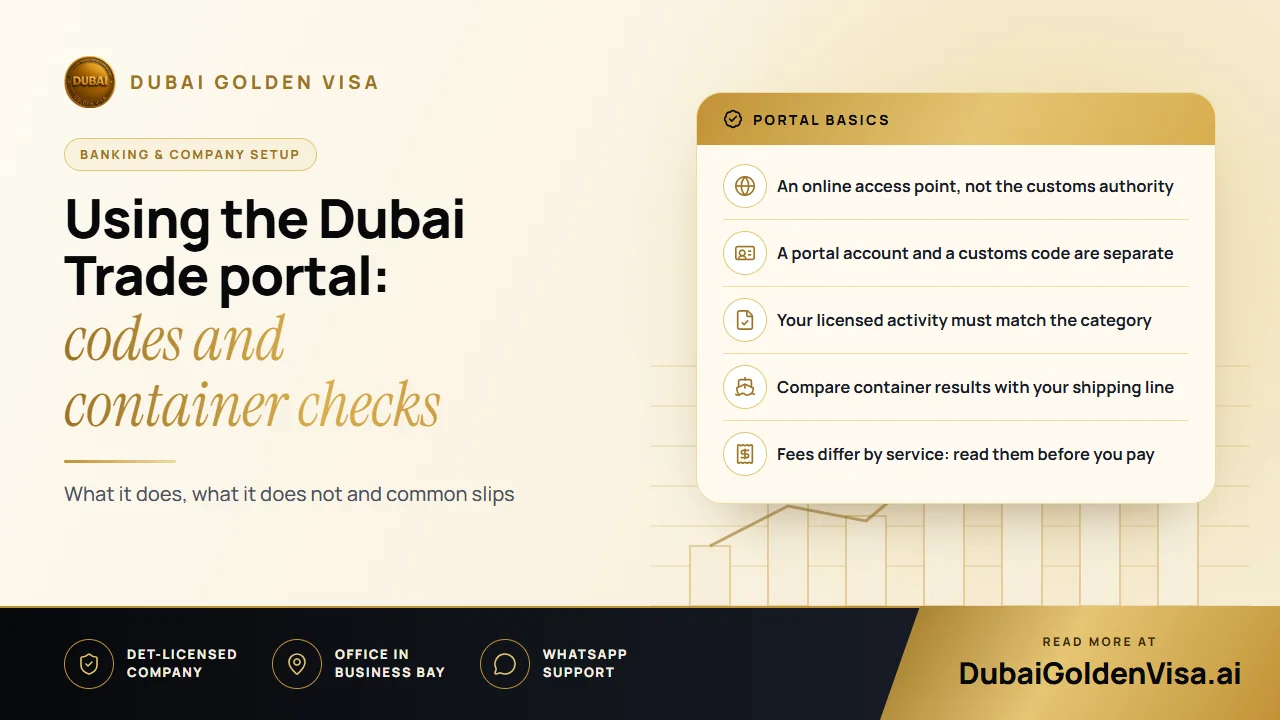
Think of Dubai Trade as a front door. It gathers digital services from several organisations, including the port operator DP World and Dubai Customs, so that approved businesses can handle cargo and customs tasks online. It does not issue trade licences, and it does not make customs decisions on its own.
What you can see inside depends on who you are. An importer, a shipping agent, a customs broker and a haulier each get a different set of tools, and a UAE licence alone does not unlock all of them. The activity on your licence and the registration category you pick need to line up.
Tip
Two logins, two purposes
A portal account and a Dubai Customs business registration are different things. Having the first does not complete the second. If you plan to lodge your own declarations, you will normally need the customs registration as well.
02Registering your company
There is no single form that covers everything. Start by deciding what your company will actually do with the portal, then follow the registration route for that business type. Mainland companies and free zone companies can be directed down different paths, and licences from free zones in other emirates are not always treated like those from Dubai free zones, so go by the portal's current instructions rather than the label on your licence.
- 1
Pick the right category
Choose the role that matches your licence: importer, exporter, agent, broker, handler or haulier.
- 2
Enter details exactly as licensed
Company name, activity and contact details should mirror your current trade licence.
- 3
Upload the documents requested
Expect a licence copy, a passport copy and Emirates ID for the authorised person, and sometimes a company request letter.
- 4
Watch the registered email
Approval and activation details go to the address you entered, so use a mailbox someone actually checks.
- 5
Add your users
Give each employee their own login and only the permissions the job needs. Remove access when someone leaves.
03The customs business code
A customs code is the identifier Dubai Customs gives your business once its registration is approved. It is not your licence number and it does not replace your licence. In practice, it is tied to that licence staying valid, so when you renew or change company details you should check whether the code needs renewing or amending too.
To apply, sign in, open the Dubai Customs area, choose the business registration request and select a new registration for your business type. You then fill in the company and authorised person details, upload the documents, pay the fee shown on screen and wait for the outcome by email.
04Checking a container
People call it tracking, but the service is really a container enquiry. You type in a container number and the system returns the information it holds and your account is allowed to see. It is not a live map of a truck or a ship.
- Copy the container number from the bill of lading or from your forwarder, and check every character.
- Open the cargo operations area and choose the container enquiry service.
- Read each status together with its date and time, because received, discharged and available for collection mean different things.
- If a detailed or cycle view is offered, open it rather than relying on the summary line.
- Compare what you see with the shipping line's own notice before booking a truck.
If nothing comes back, do not assume the cargo is lost. A mistyped digit is the most common cause. After that, confirm that the container is handled by the operator the service covers, and ask your forwarder whether the latest event has been recorded. When you contact support, have the container number, the time of your search and a screenshot ready.
05Declarations that do not bounce back
Customs declarations cover imports, exports, transit, transfers and temporary admission, and each follows its own procedure. Whichever applies, the numbers and descriptions on your invoice, packing list and transport document should agree with each other. Mismatched values or quantities are the usual reason a declaration comes back with questions.
- Commercial invoice with accurate descriptions and values
- Packing list showing packages and quantities
- Bill of lading or air waybill
- Certificate of origin where it is required
- Permits from the relevant authority for controlled or restricted goods
If a declaration is returned, read the reason before resubmitting. For classification questions or restricted goods, a qualified customs broker is usually worth the fee.
06Fees and payments
No single fee covers the portal. Registering an account, applying for a customs code, lodging declarations and handling a container each carry their own charges, and some are set by terminal operators or shipping lines rather than customs. Storage, handling, demurrage and detention are separate again. Check the amount in the live service just before paying, confirm the authority named on the request, and keep the receipt with your shipment file. If a payment looks stuck, do not pay twice; check whether your bank has debited it first.
If you are still setting up your company and want to be sure your licence, visas and bank account are ready before the first shipment arrives, message us on WhatsApp for a free check. We will tell you what to sort out first.
Questions about this topic
Some general information and registration guidance is public. Most transactions need an approved business account and the right user permissions.
Questions about your own case?
Send us a message and an advisor will tell you which route fits and what you'll need.