
Paying is the moment most people feel nervous when they apply for a UAE visa online. You are about to share money and sensitive documents with a service you may only know from a web page. A few calm checks make the step much safer.
This guide is practical rather than promotional. It describes what a sensible payment step looks like, what to read before you confirm and what to keep afterwards.
01What a clear order summary looks like
Before any money moves, you should see a summary that states what you are buying. If it is vague, stop and ask. A good summary names the traveller, the visa type and the permitted stay, and says whether entry is single or multiple. It also shows the total and what it includes.
- Traveller name exactly as in the passport
- Visa type, such as a 30-day or 60-day visit visa or a 48 or 96-hour transit visa
- Single or multiple entry
- Standard or express processing, with the expected timeframe
- Total payable and the currency it will be charged in
- Any extra service fee, listed separately
Take a screenshot of this page. If something later differs from what you agreed, you have proof of the original terms.
02Choose payment methods that leave a record
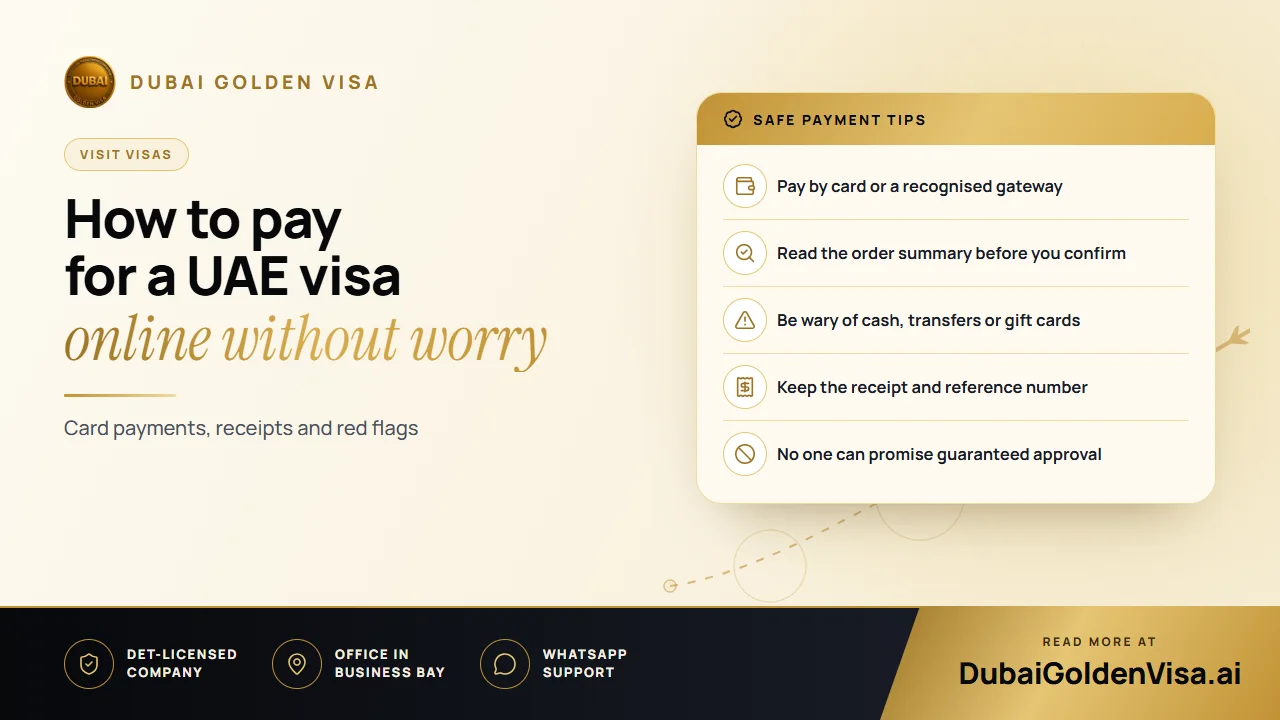
Card payments through a recognised gateway leave an electronic trail and usually give you a route to dispute a charge if something goes wrong. Bank transfers to a company account also leave a record. Cash in an envelope, transfers to a private individual's account and vouchers or gift cards do not.
Tip
Red flags at the payment step
A request to pay into a personal account, pressure to pay within minutes, an unexplained extra charge after you agreed a total, or a promise of guaranteed approval are all reasons to pause. Immigration decisions belong to the authorities, and no one can lock them in.
03Understand what you are actually paying for
A fee normally covers the government visa charge and the handling of your file, and sometimes an optional faster service. It is worth asking whether the fee changes if the visa is declined. Policies vary, so read the terms and ask for the answer in writing before you pay.
Currency matters too. If you are charged in a currency other than your card's own, your bank may add a conversion margin. The amount on your statement can therefore differ slightly from the figure shown on screen.
04Protect your details while you pay
- 1
Check the page address
Look for a secure connection symbol and make sure you are on the page you meant to open, not one reached from an unsolicited message.
- 2
Use your own device
Avoid public computers or open Wi-Fi when you enter card details or upload a passport.
- 3
Never share one-time codes
Your bank may text you a code to approve the payment. Enter it yourself and never read it out to anyone.
- 4
Watch your statement
Check that one charge appears for the amount you approved and nothing else.
05After you pay
Look for a confirmation email with a reference number within a few minutes. Save it, together with the order summary and your passport scan, in one folder. That reference is what you will quote if you need an update.
Visit visa applications are normally processed within two to three working days, with an express option of around 12 to 24 hours. Treat these as targets. If you have heard nothing after the stated period, contact the service with your reference rather than paying again.
Do not pay a second time because a page froze. Check your email and your bank app first, because duplicate payments are a common cause of refund headaches.
If you are unsure whether a payment request looks right, message us on WhatsApp for a free check. Send us a screenshot of the order summary with personal details hidden, and we will tell you what to look at.
Questions about this topic
It can be, if the page is secure, you are on your own device and the service explains how your data is stored. Do not continue if the order details are unclear.
Questions about your own case?
Send us a message and an advisor will tell you which route fits and what you'll need.